> For the complete documentation index, see [llms.txt](https://learn.layerswap.io/user-docs/llms.txt). Markdown versions of documentation pages are available by appending `.md` to page URLs; this page is available as [Markdown](https://learn.layerswap.io/user-docs/layerswap-app/transfer-manually.md).

# Transfer manually

Safely transfer your assets across blockchains with the manual transfer option

If you want to transfer funds without connecting a wallet, you can use the manual transfer option on Layerswap. We're here to guide you through the process.

### Step 1. Fill in transfer details

**1.1** Firstly, select the networks that you want to transfer between, select the token and specify the amount.

**1.2** Click on "Connect a wallet" button, then "Continue without a wallet".

**1.3** Enter your destination address and click "Next".

### Step 2. Send assets

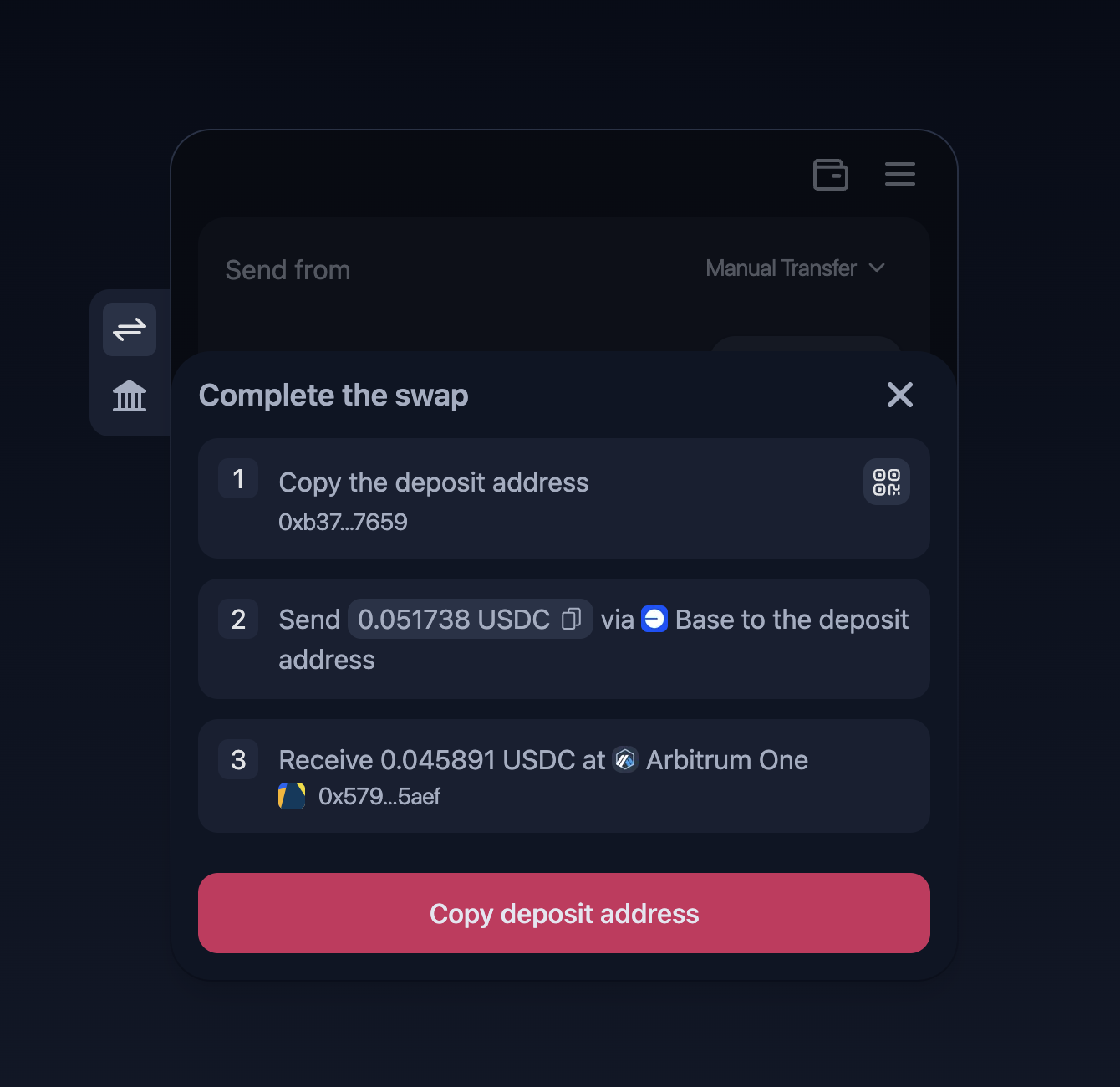
**2.1** You'll be provided with a deposit address to which you'll need to send funds.

<div data-full-width="false" data-with-frame="true"><figure><img src="https://1539013778-files.gitbook.io/~/files/v0/b/gitbook-x-prod.appspot.com/o/spaces%2F60lDEkZWkqpblJDopzKQ%2Fuploads%2Fn913eodbprkdraew9eNq%2Fimage.png?alt=media&amp;token=7b6c6f23-a0d9-44b2-adf2-182a6db0ab6c" alt="" width="563"><figcaption></figcaption></figure></div>

{% hint style="info" %}
The provided deposit address is being generated for each user by Layerswap. The transaction can't be completed if you haven't sent funds to the address.
{% endhint %}

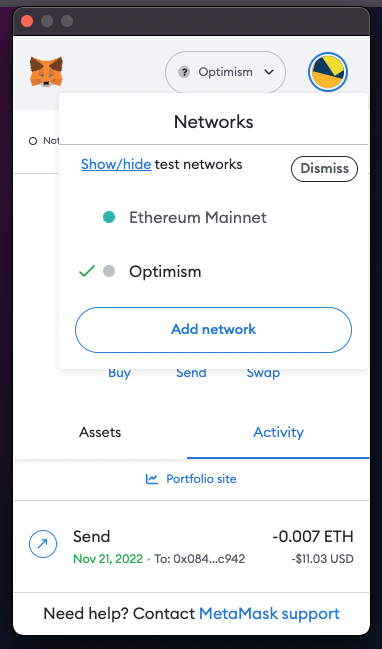
**2.2** To send from a wallet, sign in and make sure you're on the right network.

<div data-with-frame="true"><figure><img src="https://1539013778-files.gitbook.io/~/files/v0/b/gitbook-x-prod.appspot.com/o/spaces%2F60lDEkZWkqpblJDopzKQ%2Fuploads%2FGxEgeEWYUmp6zyEZOCry%2Fimage.png?alt=media&amp;token=fd2c3326-c50d-4c6f-80a6-c09697f659d3" alt="" width="287"><figcaption></figcaption></figure></div>

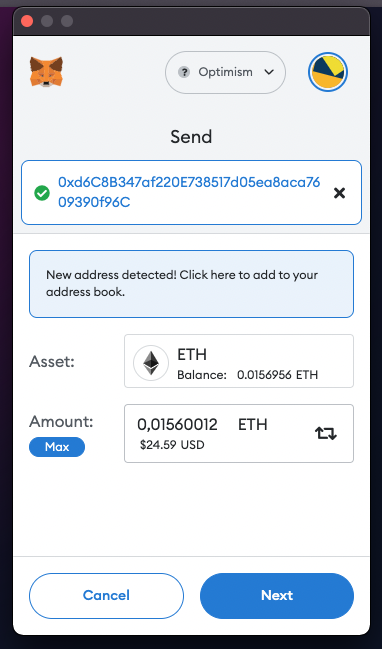
**2.3** Click "Send", copy and paste the information provided by Layerswap.

<div data-with-frame="true"><figure><img src="https://1539013778-files.gitbook.io/~/files/v0/b/gitbook-x-prod.appspot.com/o/spaces%2F60lDEkZWkqpblJDopzKQ%2Fuploads%2FK6ybG0jPy2rSugyqauAS%2Fimage.png?alt=media&amp;token=a2644dd7-e34f-4f5d-9566-996fca1f36f3" alt="" width="287"><figcaption></figcaption></figure></div>

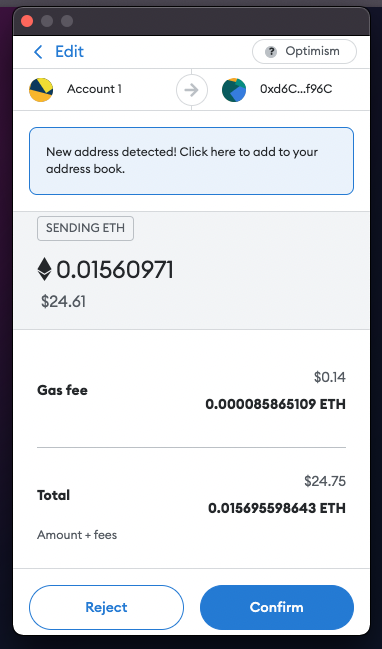
**2.4** Confirm the transaction on the wallet.

<div data-with-frame="true"><figure><img src="https://1539013778-files.gitbook.io/~/files/v0/b/gitbook-x-prod.appspot.com/o/spaces%2F60lDEkZWkqpblJDopzKQ%2Fuploads%2Fr2euOUZiERZBylnH5M0P%2Fimage.png?alt=media&amp;token=1f2b0172-fe7a-417d-a53d-069c5b9ae6aa" alt="" width="287"><figcaption></figcaption></figure></div>

If you're transferring from ImmutableX without connecting Immutable Passport, please follow these guides for a smooth transaction:

{% content-ref url="/pages/5okmkpUcq8qdokWhbiMX" %}
[How to: Transfer from ImmutableX](/user-docs/beginners-guides/how-to-transfer-from-immutablex.md)
{% endcontent-ref %}

#### If you need further assistance, feel free to contact us on [Discord](https://discord.gg/layerswap)!